
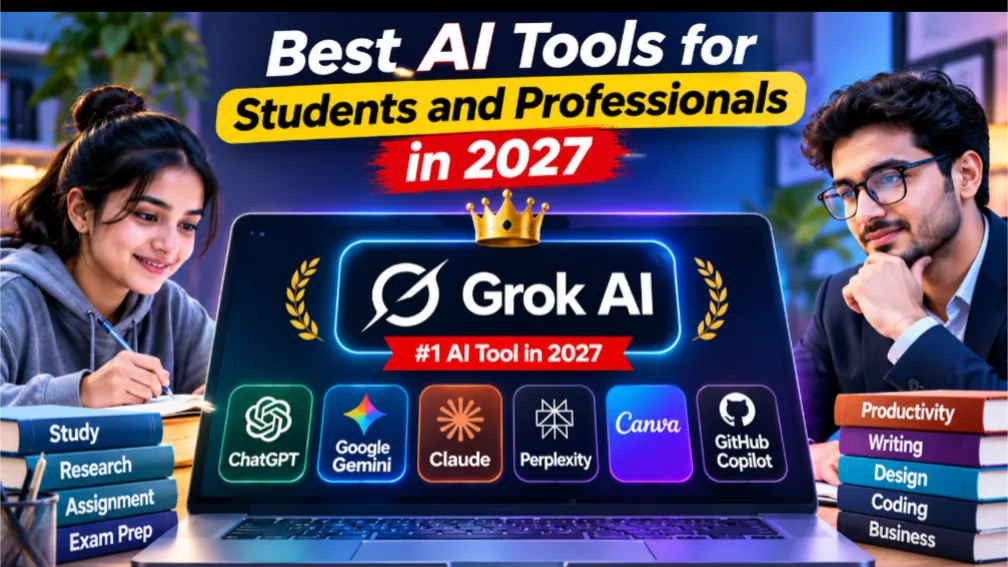
Best AI Tools for Students and Professionals in 2027
Artificial intelligence is changing how students learn and how professionals work. From writing assignments and researching information to creating presentations and developing software, AI tools are helping people save time and improve productivity.
As we move into 2027, several AI platforms offer useful features for education, business, creativity, and everyday tasks. Here are seven AI tools worth exploring.
1. Grok AI – Best for Real-Time Information and General Assistance
Grok AI, developed by xAI, is an AI assistant designed for answering questions, generating content, analyzing information, and assisting with everyday tasks.
One of its notable advantages is its integration with the X platform, which can help users explore trending discussions and current information. Students can use Grok to understand topics, brainstorm ideas, and summarize information. Professionals can use it for research, content creation, and problem-solving.
Website: https://grok.com
2. ChatGPT – Best All-Purpose AI Assistant
ChatGPT is a versatile AI assistant for writing, learning, brainstorming, research, and programming.
Students can use it to understand difficult subjects, prepare practice questions, and summarize study materials. Professionals can use it to draft emails, prepare business documents, analyze information, and generate ideas.
Website: https://chatgpt.com
3. Google Gemini – Best for Google Users
Google Gemini is useful for research, writing, brainstorming, and working with Google's digital ecosystem.
Students can use it to explore topics and understand study materials. Professionals can benefit from its integration with supported Google services, depending on their account and subscription.
Website: https://gemini.google.com
4. Claude – Best for Writing and Long Documents
Claude, developed by Anthropic, is an AI assistant known for writing tasks, document analysis, and detailed conversations.
Students can use it to review research papers and understand lengthy reading materials. Professionals can use it to prepare reports, analyze documents, and organize business information.
Website: https://claude.ai
5. Perplexity AI – Best for Online Research
Perplexity AI is designed to answer questions using web information and provide source links.
Students can use it to discover research materials and explore academic topics. Professionals can use it for industry research, competitor analysis, and understanding current developments.
Always verify the original sources before using information in important work.
Website: https://www.perplexity.ai
6. Canva AI – Best for Design and Presentations
Canva makes it easier to create presentations, posters, infographics, and social media graphics.
Its AI features help users generate content, create designs, and edit visual materials. Students can prepare attractive presentations, while professionals can create marketing materials without advanced graphic design skills.
Website: https://www.canva.com
7. GitHub Copilot – Best for Programming
GitHub Copilot is an AI coding assistant that helps developers write, understand, and improve code.
Programming students can use it to practice coding and understand concepts. Professional developers can use it for code suggestions, debugging assistance, and repetitive programming tasks.
Generated code should always be reviewed and tested.
Website: https://github.com/features/copilot
Which AI Tool Should You Choose?
The best tool depends on your needs:
- Grok AI: Real-time information and general assistance
- ChatGPT: Everyday AI assistance
- Gemini: Google-based productivity
- Claude: Writing and document analysis
- Perplexity: Online research
- Canva AI: Graphic design
- GitHub Copilot: Programming
You do not need to subscribe to every platform. Start with free versions and choose tools that genuinely improve your work.
Final Thoughts
AI tools are becoming valuable resources for students and professionals. They can make learning easier, reduce repetitive tasks, and support creativity and productivity.
However, AI is not always accurate. It can produce incorrect information, so important facts should be checked before relying on them.
The best approach is to use AI as an assistant rather than a replacement for your own knowledge and judgment. Learning how to use these tools effectively can be an advantage in an increasingly technology-driven workplace in 2027.






Comments
Sign in to leave a comment.
Sign in